
Motion Lab
An AI-Native UI Motion Environment
Year:
2026
Category:
Motion Systems
UI/UX
Vibe-coding
Tools:
Cursor
Claude
Figma
All UI animations in the video above are live renders of interactive React or WebGL components built in Motion Lab
Summary
Motion Lab is an AI-first design environment for authoring systematic UI motion through human-AI collaboration. It pairs a live visual canvas with your IDE, allowing you to establish intent in chat while an AI agent writes the native code—immediately exposing the exact controls you need to fine-tune the animation visually in real-time.
Ingestion Pipeline
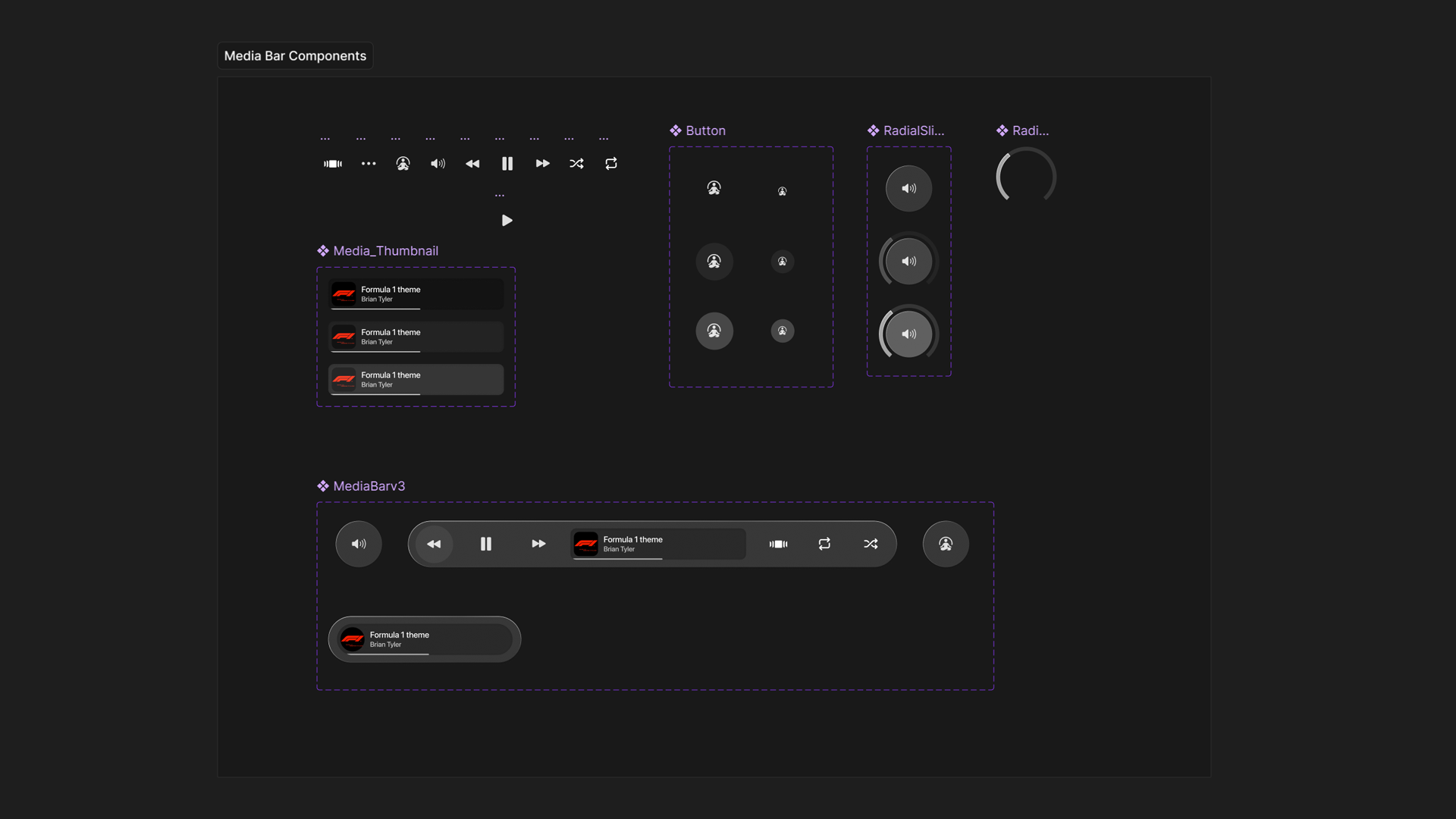
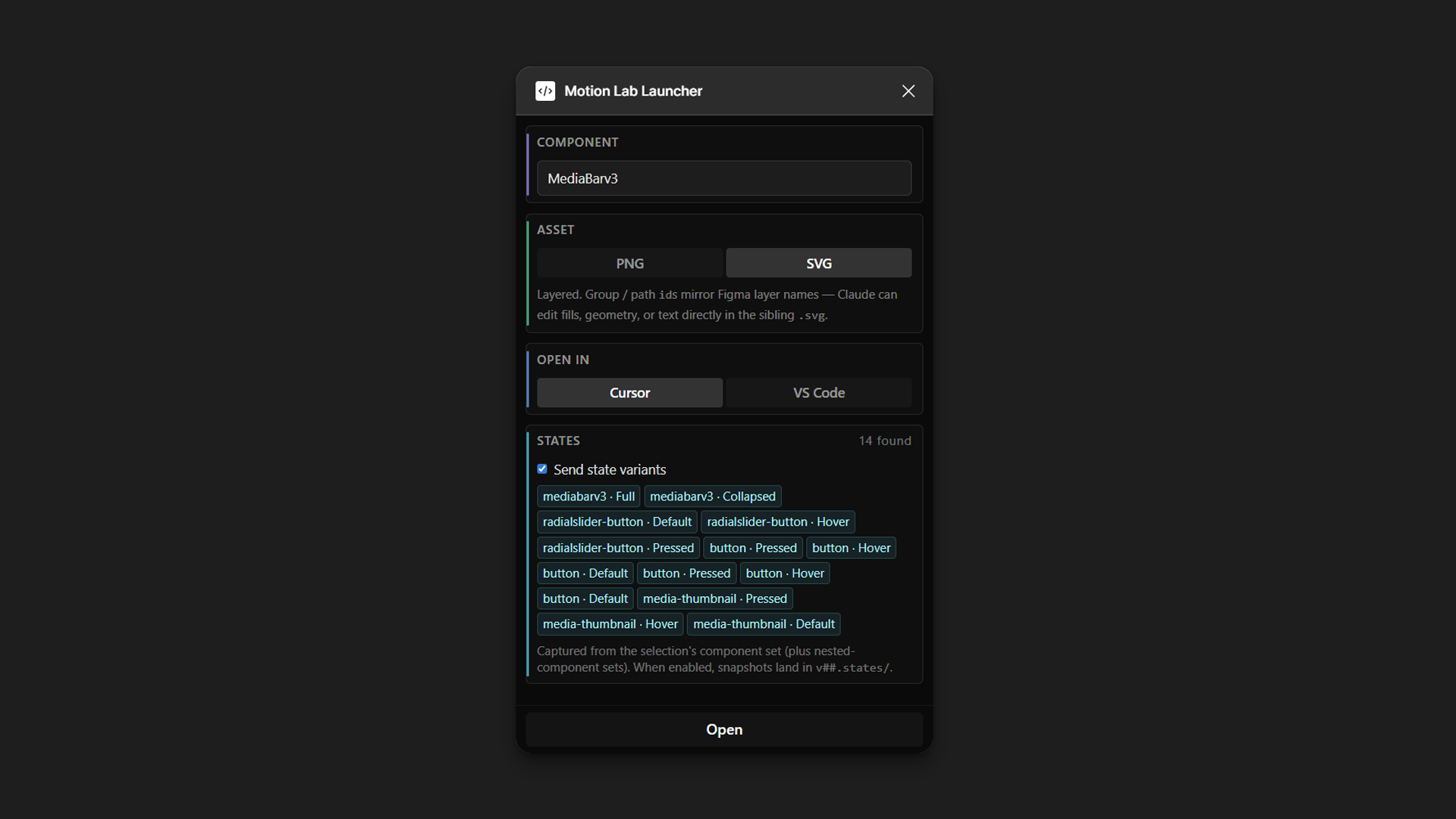
Motion Lab removes manual setup by pulling designs directly from Figma into a version-controlled workspace. A dedicated Figma plugin exports any selected component, scaffolds the file, and pre-loads its structure into the AI context so you can start iterating immediately. Because every edit automatically generates a new .motion.tsx file, the entire history remains non-destructive and fully reversible.
AI Collaboration + Systematic Design
Motion Lab treats AI as a collaborator. By describing intent in the chat, the designer requests which specific properties to tune. The AI then exposes those properties as interactive controls within the Editor Canvas. This pairs a live React preview with a dynamic Properties panel, mapping your visual adjustments directly to the underlying code.
To ensure the output remains cohesive, the tool is built to ingest any brand's custom motion tokens and governing principles. For this project, I integrated my personal EWL Token System, ensuring the AI draws every duration, curve, and spring from a strict design language rather than using arbitrary raw numbers.
Render, Export & Share
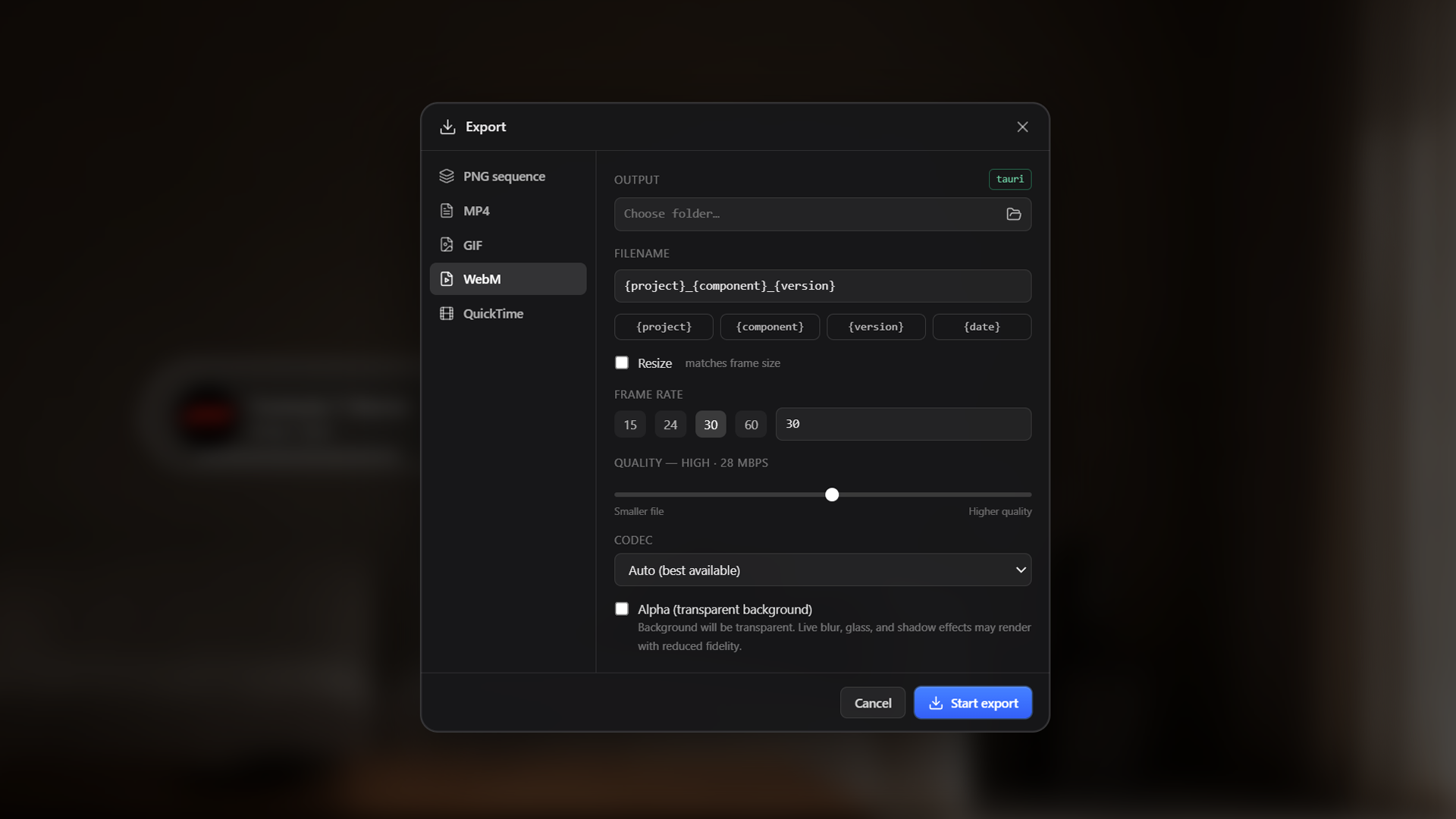
To facilitate stakeholder review, the export pipeline outputs both traditional media formats and interactive web environments. You can render standard linear files—like WebM, MP4, or image sequences—directly from the canvas, or use a dedicated recording mode to capture live interactions like scrubbing states and triggering animations.
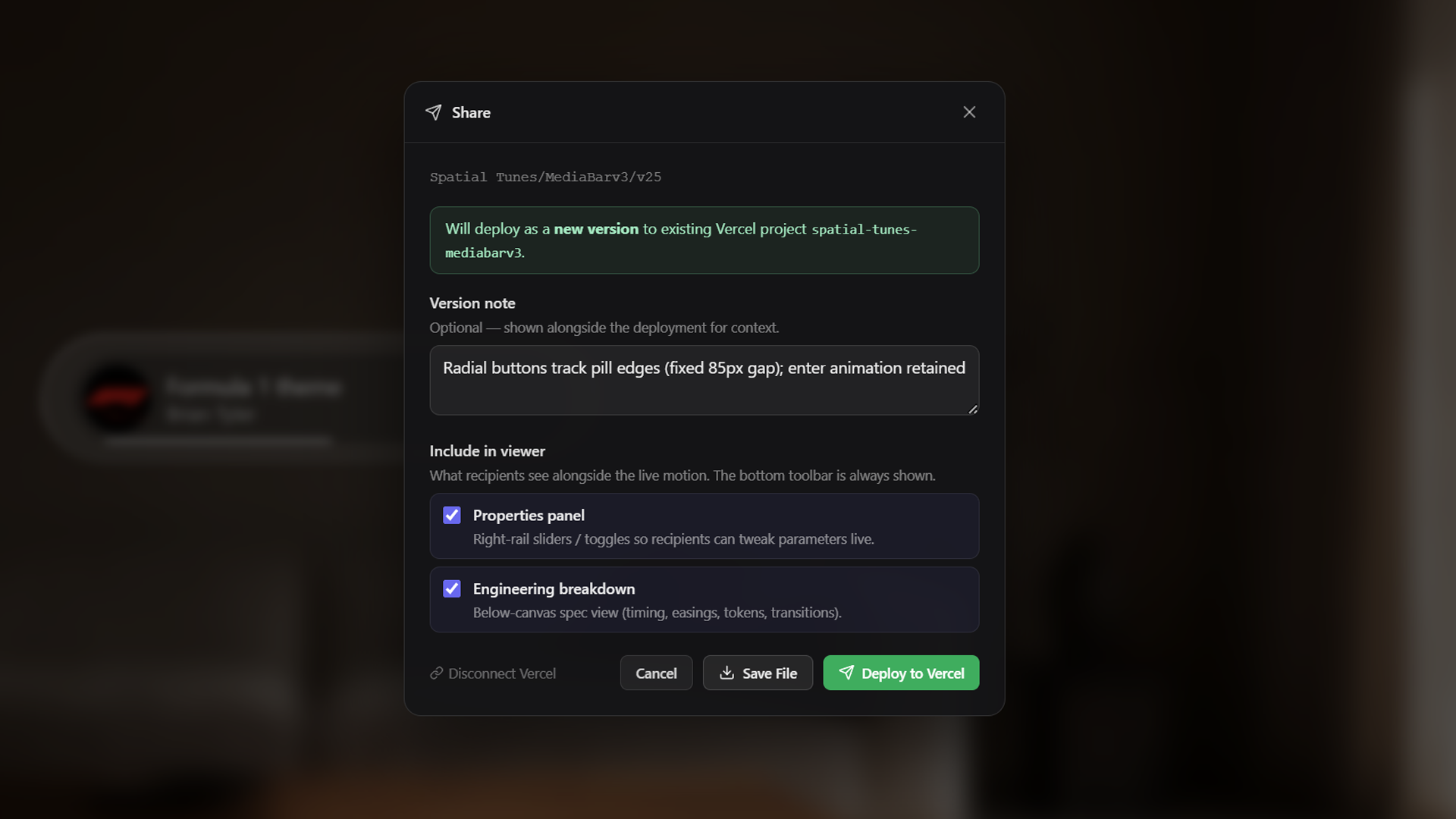
For a hands-on review, the system packages the canvas into an interactive viewer. Exported as a standalone HTML file or instantly published to a shareable Vercel URL, this preview optionally exposes the Properties panel. Stakeholders can test parameters and approve the exact interactive feel right in the browser, without needing an account or software installation.
Motion-to-Code Pipeline
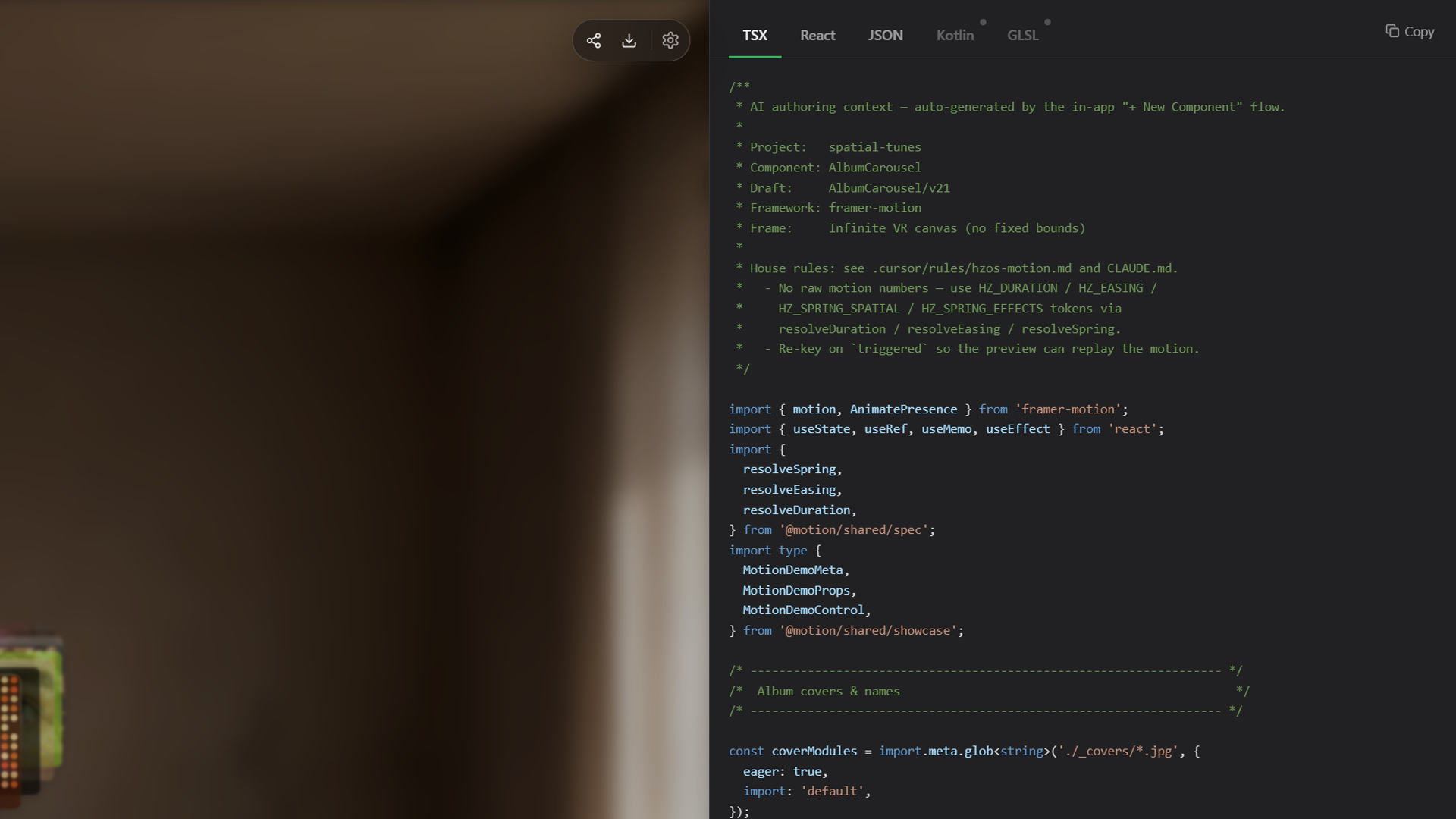
Instead of relying on reference videos and manual value transcription, Motion Lab uses a framework-agnostic compiler to turn drafted motion directly into production code. A single click extracts the animation logic, generates a strongly-typed interface from the canvas controls, and compiles the output into React, Kotlin, or GLSL shaders.
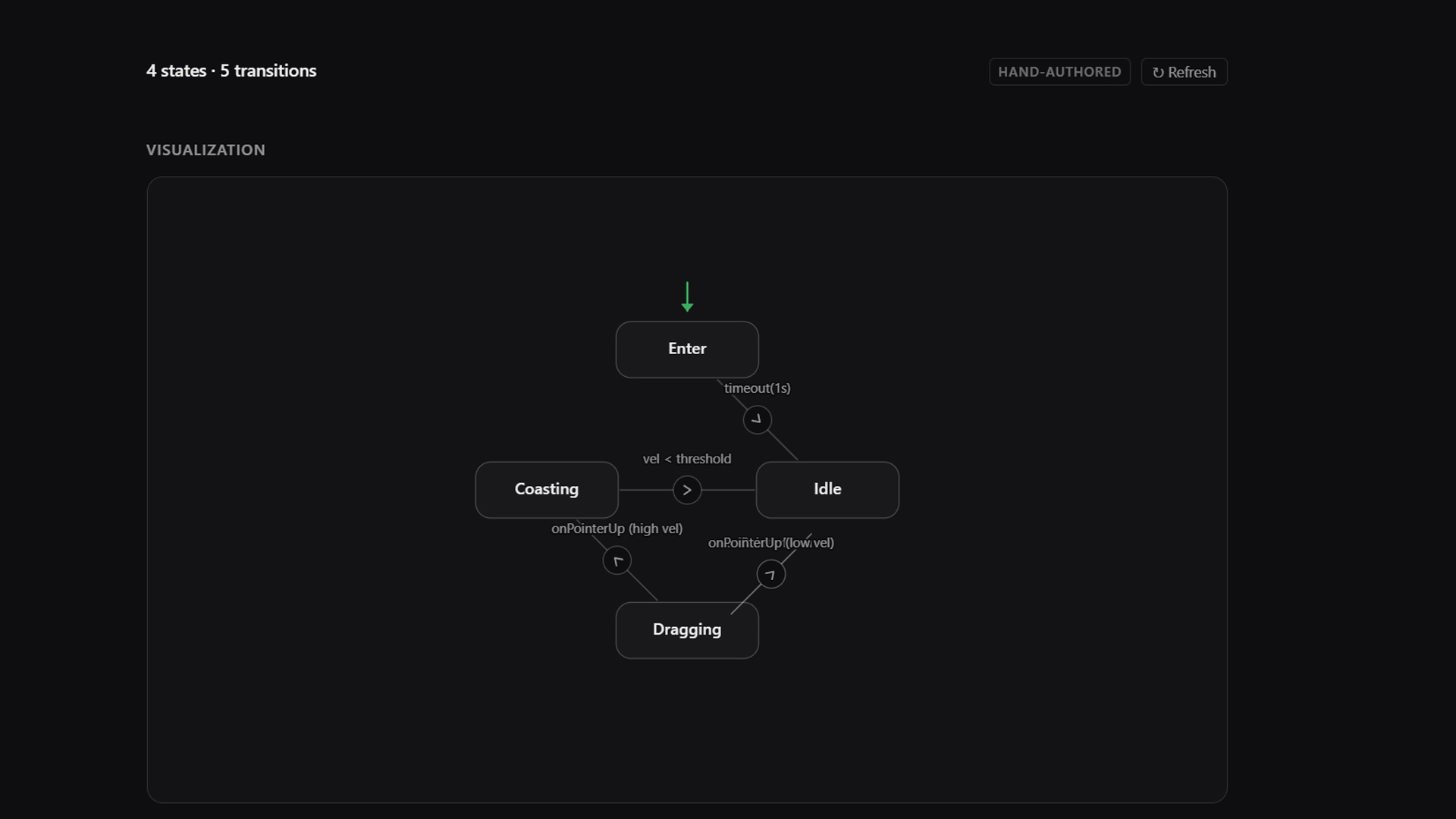
To give engineering partners complete context, the system automatically translates the source file into a Dev Mode Breakdown, visualizing timing diagrams, state machines, and resolved tokens. Packaged alongside a spec.json payload and a Markdown brief, the final handoff is a version-locked, importable asset that engineers can drop directly into their specific codebase without manually recreating curves or logic.
Copyright
© 2026 EWL Motion
All Rights Reserved
Home Base
New York, NY
Go Knicks